
Box-2
  • agentTRAX Login  |  Website Login
Naw Logo Naw Logo
  • FNF STORY
    • First In Financial Strength
    • Meet Our Agents
    • Meet The Leadership
    • FNF Publications
      • A Legacy of Financial Strength
      • FNF Newsdesk - RSS Feed
      • FNF Fraud Insights
      • Industry Event Listings
      • Visit us on Social Media
        • FNF on Facebook
        • FNF on Instagram
        • FNF on LinkedIn
        • FNF on X
        • FNF on YouTube
  • FNF GUIDANCE
    • FinCEN RRER
    • Agency EGuide
    • Agency UGuide
    • Digital Closing Hub
      • Compliant RON Platforms
      • Consumer Resources
      • Educational Materials
    • For Agents
    • For Attorneys
    • For Commercial
    • Risk Management
      • Cybersecurity Resources
      • FNF Fraud Insight
      • Mortgage Payoff Fraud
      • Seller Impersonation
      • Wire (Diversion) Fraud
  • FNF APPLICATIONS
    • agentTRAX
    • IPX 1031 Exchange Exchanges
    • OFAC Search
    • Patriot Act Search
    • Rate Calculator
    • Title & Settlement Fee Calculator
    • TitlePoint
    • TitleWave
  • AGENT SUCCESS TOOLS
    • FNF Academy
    • Best Practices Portfolio Builder
    • Digital Closing Hub
    • EC Purchasing
    • FNF Solution Partners
    • FNF Marketing Resources
  • AGENT NEXT STEPS
    • Become an Agent
    • Find An Office
    • FNF Promise
    • General Inquiries
    • Shopping for an Underwriter
  • THE INDUSTRY
    • ALTA Agent ID Verification
    • ALTA Consumer Marketing
      • ALTA Homeowner Outreach Program
      • FNF Marketing Samples
      • HomeClosing 101
    • ALTA Registry
    • CFPB Info-Training
    • Industry News
    • Regulatory Agencies
    • Title Action Network (TAN)
    • Trade Associations
Banner image

Cybersecurity Resources

CYBERSECURITY.  PROTECTING YOU & YOUR BUSINESS.

Caution

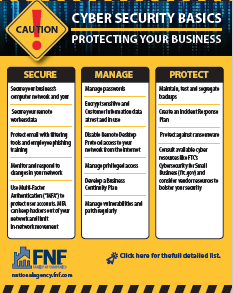
Click the image above for access to the detailed Cybersecurity Basics guide.
Flyersnap

Click the image above for access to the Cybersecurity Caution! Flyer.
OFACUpdatesandCybersecurityAwareness

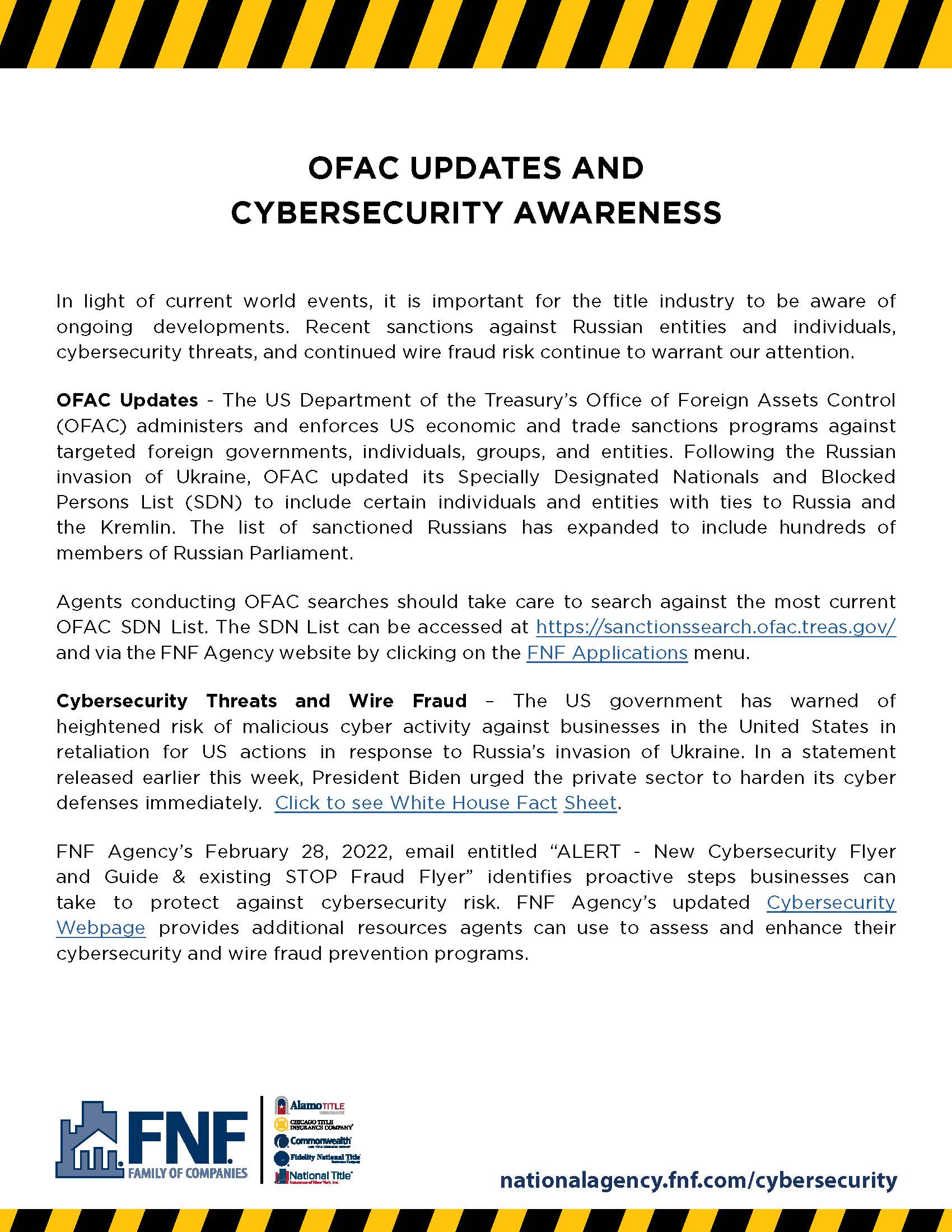
Click the image above for access to the OFAC Updates and Cybersecurity Awareness flyer.

StoplightforNAW

Click the image for access to the monthly Fraud Insights Newsletter.

STOP.

INQUIRE BEFORE

YOU WIRE.

FNFStopfraudflyer

Click the image for access to the distributable flyer/announcement

Who to contact if an agent believes they have been compromised?

FBI Local Field Office Locations: www.fbi.gov/contact-us/field.

There are three practices we would recommend all agents follow to protect against business email compromise:

  • Only use email that provides two factor authentication and make sure it is enabled.
  • Never wire funds based upon the content of an email.  Always assume email has been hacked and validate all information over the phone.
  • If you suspect a wire or check was sent fraudulently, contact the bank immediately.  Do not hesitate to respond.
  • It is recommended to never allow wire instructions via email . . . phone only and CONFIRM even by phone.

Cybersecurity education is critical at work and at home. Below are materials for agents on specific topics and to assess their own cybersecurity practices. There also are materials directed toward consumers that can be used by agents to teach good cybersecurity practices or to share in their own markets.

cybersecurityimage

Wire Fraud and Business Email Crime


Business Email Compromise
Common BEC Scams and Crimes
Coalition To Stop Wire Fraud
Creation of Rapid Response Plan by ALTA
Social Engineering, Phishing, Vishing, and Smishing
KnowBe4 - Social Engineering Red Flags
2021 User Risk Report: A People-Centric View of Vulnerability

Ransomware


Stop Ransomware
Ransomware Brochure

Resources For Employers Offering Remote Work


Security Tip For Before You Connect a New Computer To the Internet

Guidance for Secure Video Conferencing
Protecting Portable Devices

Implementing CyberSecurity Measures


Cybersecurity Measures You Can Implement To Protect Your Real Estate Business

Programs For Agents To Begin Assessing Cybersecurity


Cybersecure My Business by National Cyber Security Alliance

Federal Communications Commissions' Cyberplanner

IC3 Reports


2023 Internet Crime Report

2023 Elder Fraud Report

Information For the Consumer


ALTA FNF WireFraud Rack Card

Wiresafe Postcard (downloadable & distributable)

Wiresafe Information For Agent Branding

Consumer Safety On the Internet

Business Email Compromise Timeline Picture

Preventing and Responding To ID Theft

Stop. Think. Connect: Student Resources

Stop. Think. Connect:   (Created by leadership of the National Cybersecurity Alliance and APWG.  Program contains collateral for consumers in multiple language.)

WEEK 1 –

MORTGAGE PAYOFF WIRE FRAUD

It's that time of year again!  FNF Family of Companies – National Agency Division is once again a Champion Organization by the National CyberSecurity Alliance.

Let's kick off National Cybersecurity Awareness Month (NCSAM) with our first educational video and email about mortgage payoff wire fraud.  This year’s focus is to “See Yourself in Cyber,” and we wanted to focus on mortgage payoff wire fraud because of its danger to title agents

Mortgage Payoff Wire Fraud

It's no secret that wire fraud has been a hot topic. Over the past couple of years, the type of wire fraud has evolved to also include mortgage payoff wire fraud which can be devastating to a title agency due to the size of the loss. As will be detailed in week 2, there probably is not any insurance coverage available for the loss.

Join Michele Green as she discusses steps your agency can implement to Create – Confirm – Check to avoid mortgage payoff wire fraud.  After her video, be sure to review the information on Create – Confirm – Check in your agency to determine what procedures you should take to protect your escrow accounts.

Want more?

In week 2 of National Cybersecurity Awareness Month (NCSAM), Michele Green will continue the mortgage payoff wire fraud discussion by reviewing the current availability of cybersecurity insurance.

After the focus on mortgage payoff wire fraud and insurance, Krista Christensen will provide you with information on strong passwords and enabling multi-factor authentication.

 
MortgagePayoffFraudflyer

Click image to download

WEEK 2 - CYBERSECURITY INSURANCE

National Cybersecurity Awareness Month (NCSAM) is still going strong! This week, we're going into cybersecurity insurance and why it is important to Create – Confirm – Check.

CYBERSECURITY INSURANCE FOR WIRE FRAUD IS MOSTLY UNAVAILABLE

Last week, Michele Green shared with you what mortgage payoff wire fraud is and how you can implement strategies to Create – Confirm – Check so your escrow accounts are safer from mortgage payoff wire fraud. Next, Michele will share with you why there is no insurance coverage for mortgage payoff wire fraud.

STRATEGIES FOR ADDRESSING MORTGAGE PAYOFF WIRE FRAUD

After you watch these videos, schedule time to talk internally in your title agency about how you can implement strategies to Create – Confirm – Check or whether you want to transfer the risk to an outside vendor. And, as always, continue to talk at every staff meeting and regularly remind each other about mortgage payoff wire fraud so your title agency is not a victim.


WEEK 3 - STRONG PASSWORDS AND MFA

We're halfway through National Cybersecurity Awareness Month (NCSAM)!The overall focus for this month is on mortgage payoff wire fraud; however, no cybersecurity awareness month would be complete without information on how to protect e-mail accounts hackers attack. This week, we're focusing on strong passwords and multi-factor authentication.

Be sure to watch the video with Krista Christensen as she walks you through information on strong passwords and implementing multi-factor authentication.

UTILIZE YOUR PASSWORD STRENGTH!

Password cracking is an extremely common tactic for hackers considering that less than half of the public utilizes strong and complex passwords. There are several programs that hackers can use to guess or "crack" passwords, which means that we have to take important steps to outsmart the hacker and protect our personal information.

How do hackers steal passwords?

In general, password attacks fall into four major categories: password theft, password guessing, password cracking, and unauthorized password resetting or bypass.

The most common theft method is sending a traditional phishing email, which prompts the potential victim to click on a link and type in their username and password. Passwords can also be manually guessed...and the shorter and simpler the password, the easier it is to guess. The average user rarely changes their password and uses the same password for multiple accounts, making them an easy target.

On the more technical side of things, a "password cracker" is an application program that can recover passwords using various techniques and algorithms. Thankfully, there are ways we can make our passwords stronger, more complex, and difficult to uncover.

What are some simple password tips?

  • Consider using the longest password permissible
  • Don't include personal information in your password
  • Use a combination of upper and lowercase letters
  • Avoid using common words
  • Substitute letters with numbers or symbols
  • Use phonetic replacements (ex: "PH" instead of "F")
  • Don't reuse the same password on multiple accounts
  • Store all of your unique passwords with a password manager

KEEP YOUR GUARD UP WITH MFA!

Imagine that your computer, with all of your sensitive information and personal belongings, is like a castle. Your password is the lock on the door, but enabling multi-factor authentication is like building a moat. Similar to a moat, MFA is an additional defense against attacks. It makes it even more difficult for scammers and hackers to compromise your account. When possible, you should always turn on MFA because it's easy to do and greatly increases your security.

How does MFA work?

Enabling MFA adds an additional step when logging into an account. The first step is entering your password, and the second step is providing an extra way of proving that it's really you. This could be a PIN code or texting/emailing a code to your mobile device.

MFA can include:

  • An extra PIN (personal identification number)
  • The answer to a security question (ex: What's your pet's name?)
  • An additional code emailed to a mobile number
  • Facial recognition or a fingerprint
  • A yes/no button or unique number generated by an authenticator app (like those from Microsoft, Google, or Duo)
  • A secure token, which is a separate piece of hardware (like a key fob)

Do all accounts offer MFA?

Not every account offers MFA, but it's becoming more popular every day. MFA is the standard for most financial institutions, online stores, and social media platforms. According to Microsoft, enabling multi-factor authentication is 99.9% effective in preventing breaches. Simply put, use MFA everywhere you can.

 
OctoberRoadmap

WEEK 4 - PHISHING AND WRAP-UP

This is the last week of National Cybersecurity Awareness Month (NCSAM)! This week, we're focusing on common red flags you might encounter if you're being phished. Read on to make sure you don't get hooked!

DON'T TAKE THE BAIT!

Phishers may prey on your sense of trust in order to get access to your personal information, money, or accounts, or otherwise put you or your company at risk. Phishing emails can use language that is urgent, alarming, or even threatening. They can also impersonate trustworthy sources known to you – such as Amazon, Google, UPS, financial services providers, and others you may normally interact with for legitimate purposes. There have been situations reported where employees received fake notices from Microsoft, asking them to provide credentials. They can disguise themselves as people you know, even high-level executives at your company. It is key to use your best judgment and scrutinize emails in your inbox. If a message is unexpected, requires you to act urgently, or is riddled with hyperlinks or typos, you could be being phished.

What are common red flags of phishing?

  • Contains an offer that seems too good to be true
  • Prompts to act urgently to avoid a negative consequence (phrases like “Your account has been suspended” or “We’ve detected unusual            account activity”)
  • Misspellings or bad grammar
  • Greetings that are ambiguous or impersonal
  • Requests to send personal information, online account information, or financial information
  • Urgency to click on a link or attachment
  • Strange or abrupt business-related requests
  • Email address doesn't match the display name or doesn’t match company it's purporting to come from

What do I do if I receive a phishing email?

Recognizing that a phishing email is fake is the hard part, so congratulations! As long as you don't click on any links and don't reply back, the phisher has failed at their attempt to bait you. Simply delete the email and block the sending address. On Outlook, Gmail, and Mac Mail, you can easily report a phishing attempt. It's a good idea to alert your manager or IT team as well.

WANT MORE?

If you did not have a chance to see Michele Green discuss mortgage payoff wire fraud or cybersecurity insurance, now is the time to catch those videos also so you aren’t caught in that net either!

Cybersecurity Awareness Month - flyers

Click the images below to view.

ClicktheimagebelowtoviewWeekOne
ClicktheimagebelowtoviewWeekTwo
ClicktheimagebelowtoviewWeekThree
ClicktheimagebelowtoviewWeekFour
img-Facebook img-Instagram img-LinkedIn img-X img-YouTube
Footer logo

Copyright © 2025-2026, FNF Family of Companies. All Rights Reserved.

Fidelity National logo

Copyright © 2025-2026, FNF Family of Companies. All Rights Reserved.

Terms of Use  |   Privacy  |   California Privacy  |   Accessibility
*The statements made on this web page and any page that follows within the FNF Family of Companies website are not intended, and shall not be construed to expressly or impliedly issue or deliver any form of written guaranty, affirmation, indemnification, or certification of any fact, insurance coverage or conclusion of law.